OClass

One guided workflow for term setup
across 200+ businesses.

One guided workflow for term setup across

200+ businesses.

One guided workflow for term setup
across 200+ businesses.

Role

Lead Product Designer

Timeline

2025

2 months
OVERVIEW

Streamlining the admin work that

keeps 200+ businesses running

Streamlining the admin work that

keeps 200+ businesses running

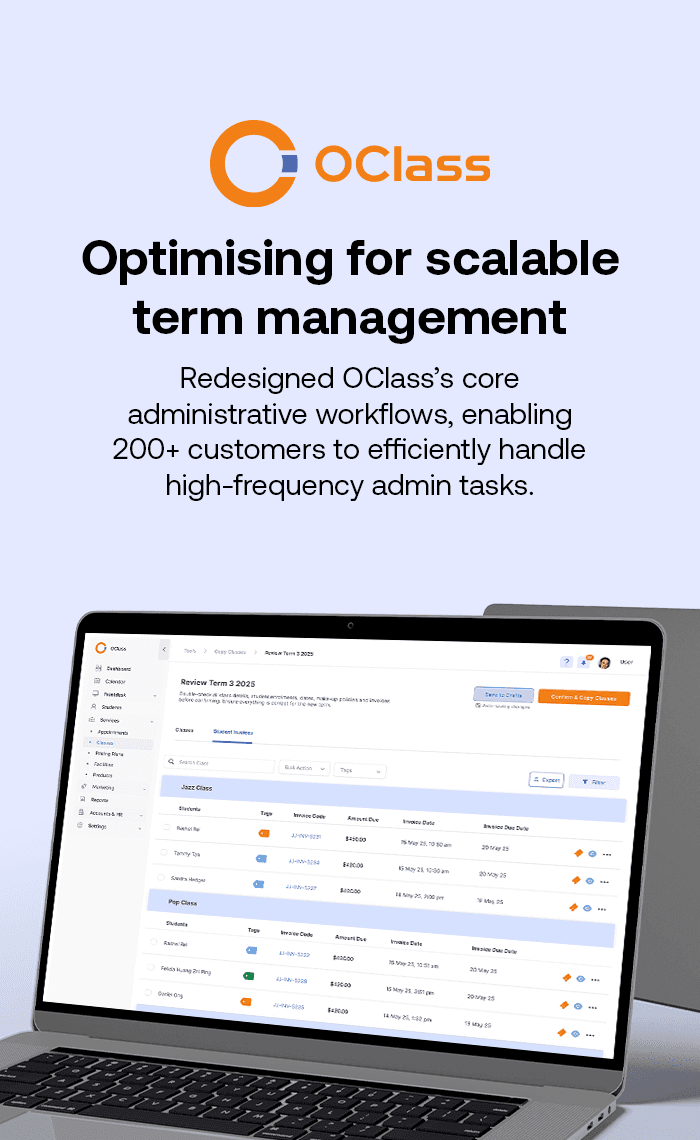
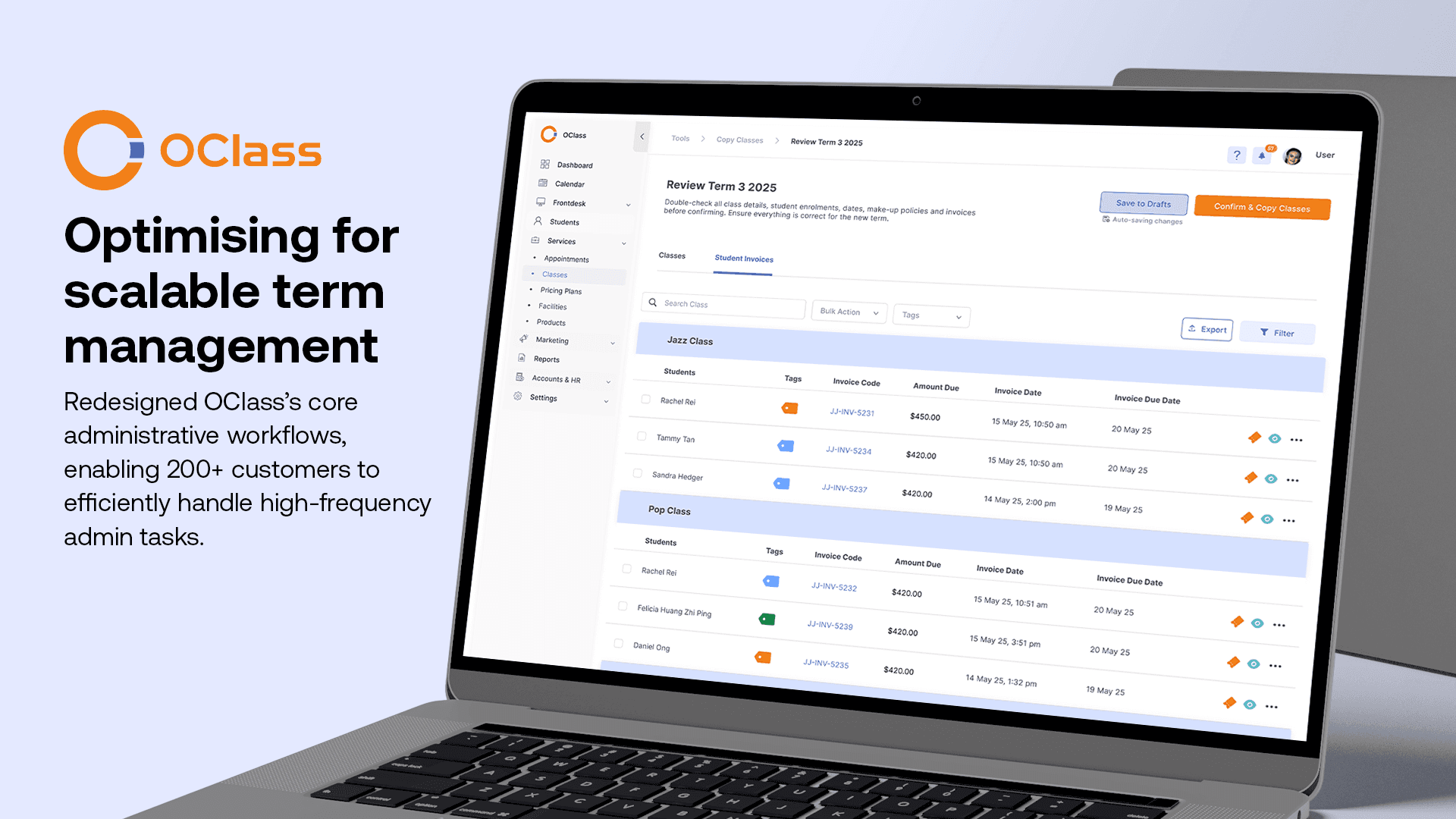
OClass is a SaaS platform used by over 200 enrichment centres, studios, and fitness businesses to manage classes, student records, and billing. Its promise is simple: remove manual bottlenecks so owners can focus on growth instead of paperwork.

I led the redesign of class copy and term setup, a repetitive, high-frequency workflow that sits at the centre of both daily admin work and OClass's support load. Fixing it offered the highest impact: less manual effort, fewer errors, and fewer support tickets.

OClass is a SaaS platform used by over 200 enrichment centres, studios, and fitness businesses to manage classes, student records, and billing. Its promise is simple: remove manual bottlenecks so owners can focus on growth instead of paperwork.


I led the redesign of class copy and term setup, a repetitive, high-frequency workflow that sits at the centre of both daily admin work and OClass's support load. Fixing it offered the highest impact: less manual effort, fewer errors, and fewer support tickets.

Fewer steps

Fewer steps

Collapsed term setup from 8 screens into one guided flow

Collapsed term setup from
8 screens into one guided flow

>40%

>40%

Reduction in task completion time

100%

100%

Task completion rate in testing

PROBLEM

A workflow that fought the people using it

A workflow that fought the people using it

Despite OClass's goal of automating backend operations, term-based businesses hit real friction every time they set up a new term. Fragmented screens and manual steps turned a routine task into a slow, error-prone one.

Three problems surfaced most often:

Three problems surfaced
most often:

Disjointed workflow

Class copy and term setup lived on separate pages, forcing constant screen-switching and adding steps at every turn.

Class copy and term setup lived on separate pages, forcing constant screen-switching and adding steps at every turn.

Reliance on external tools

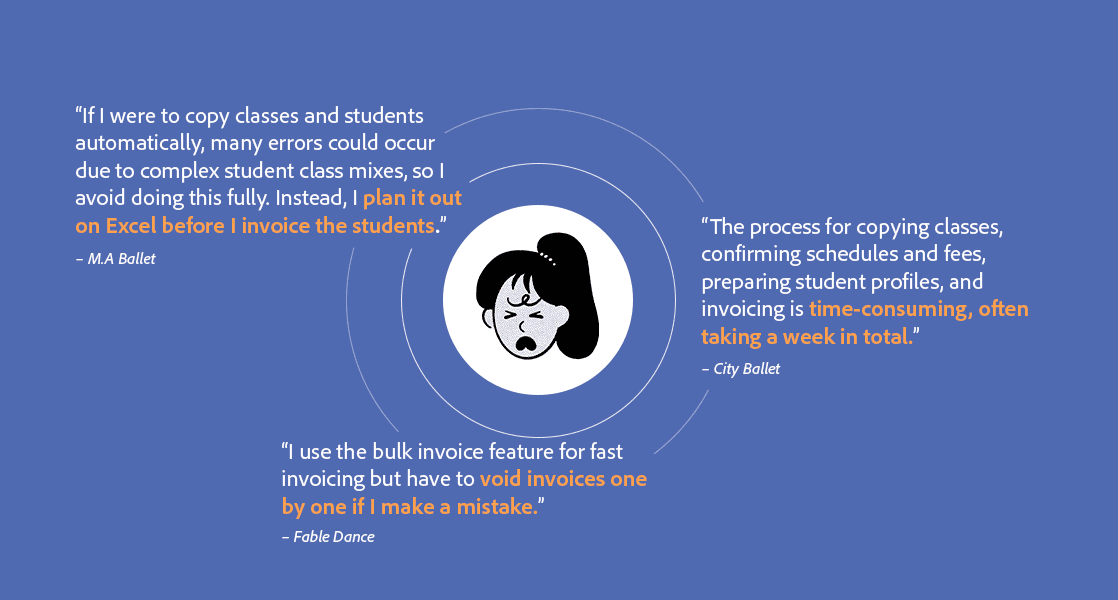
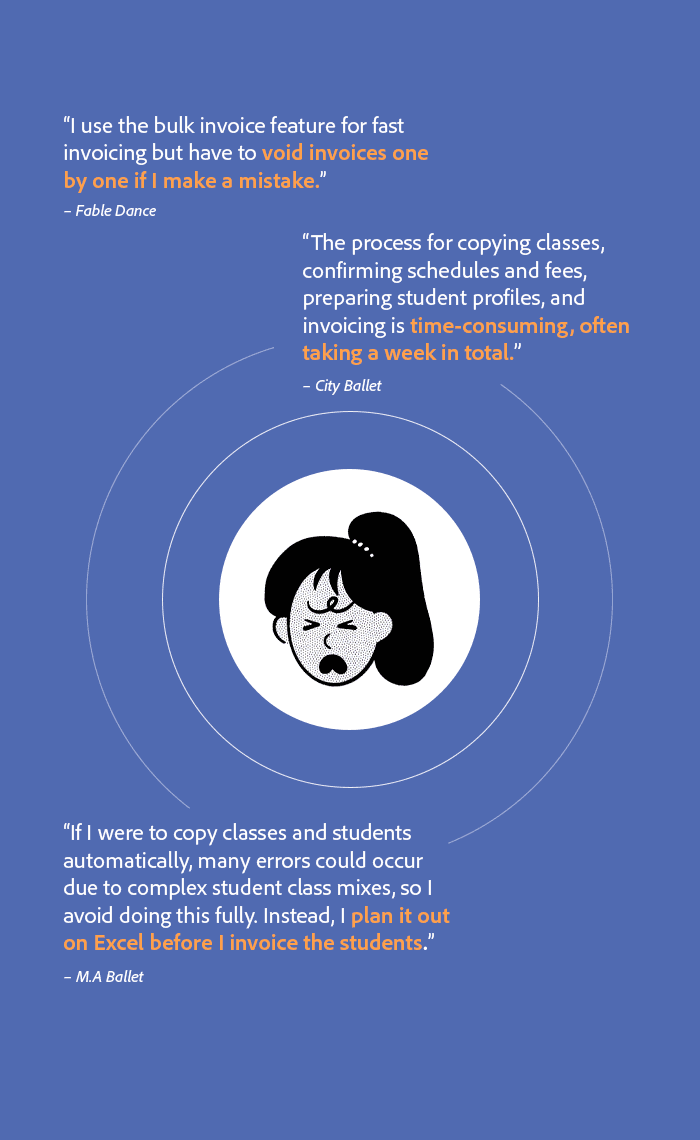
Admins fell back on Excel to handle complex schedules (e.g. students attending two lessons a week on different days), pushing work outside the product.

Admins fell back on Excel to handle complex schedules (e.g. students attending two lessons a week on different days), pushing work outside the product.

Tedious invoice correction

Students on different pricing plans had to be manually re-enrolled and re-invoiced each term, with little room for automation.

Students on different pricing plans had to be manually re-enrolled and re-invoiced each term, with little room for automation.

QUOTES FROM USER INTERVIEWS

DISCOVERY & INSIGHTS

Listening past the noise

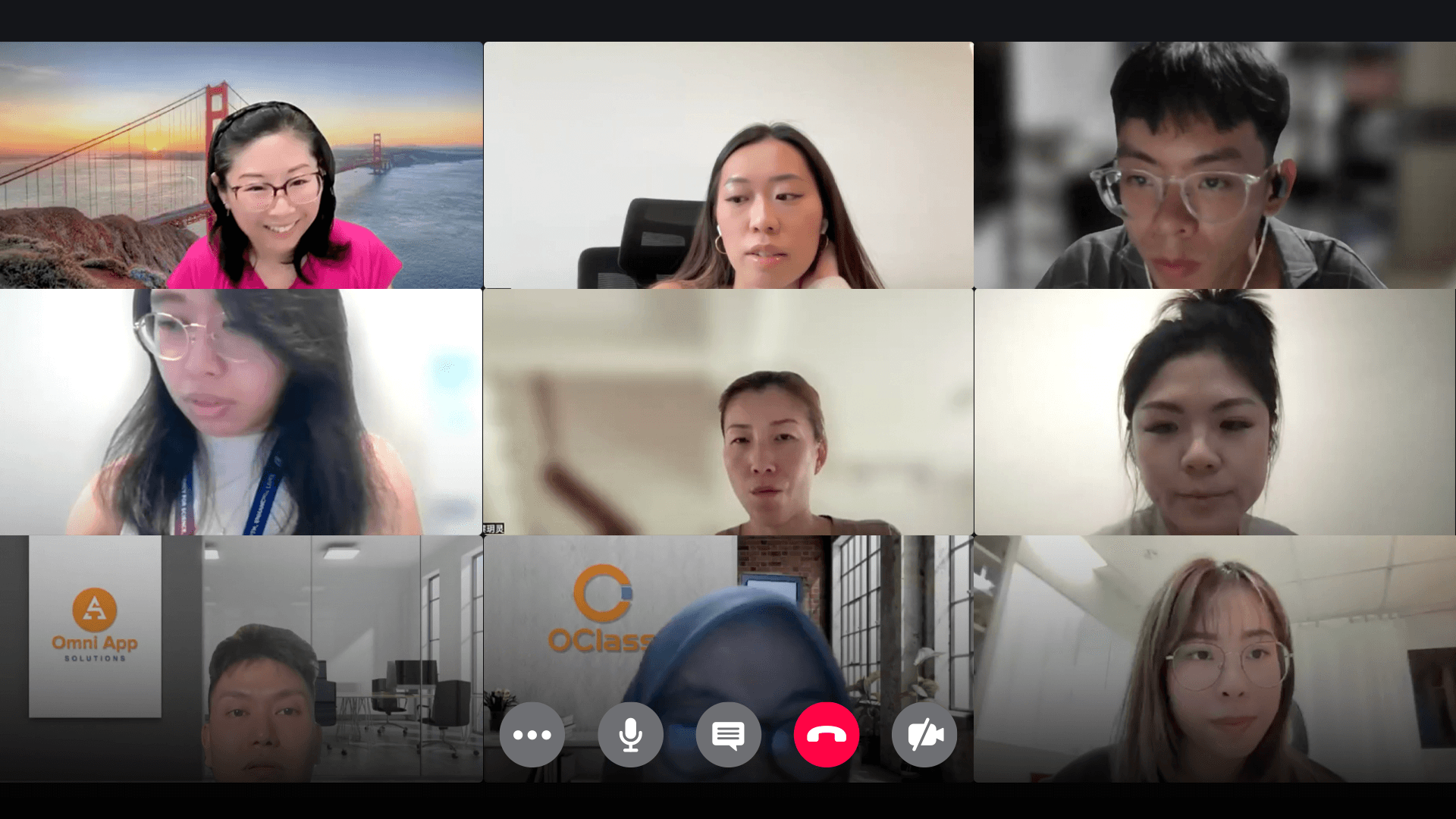
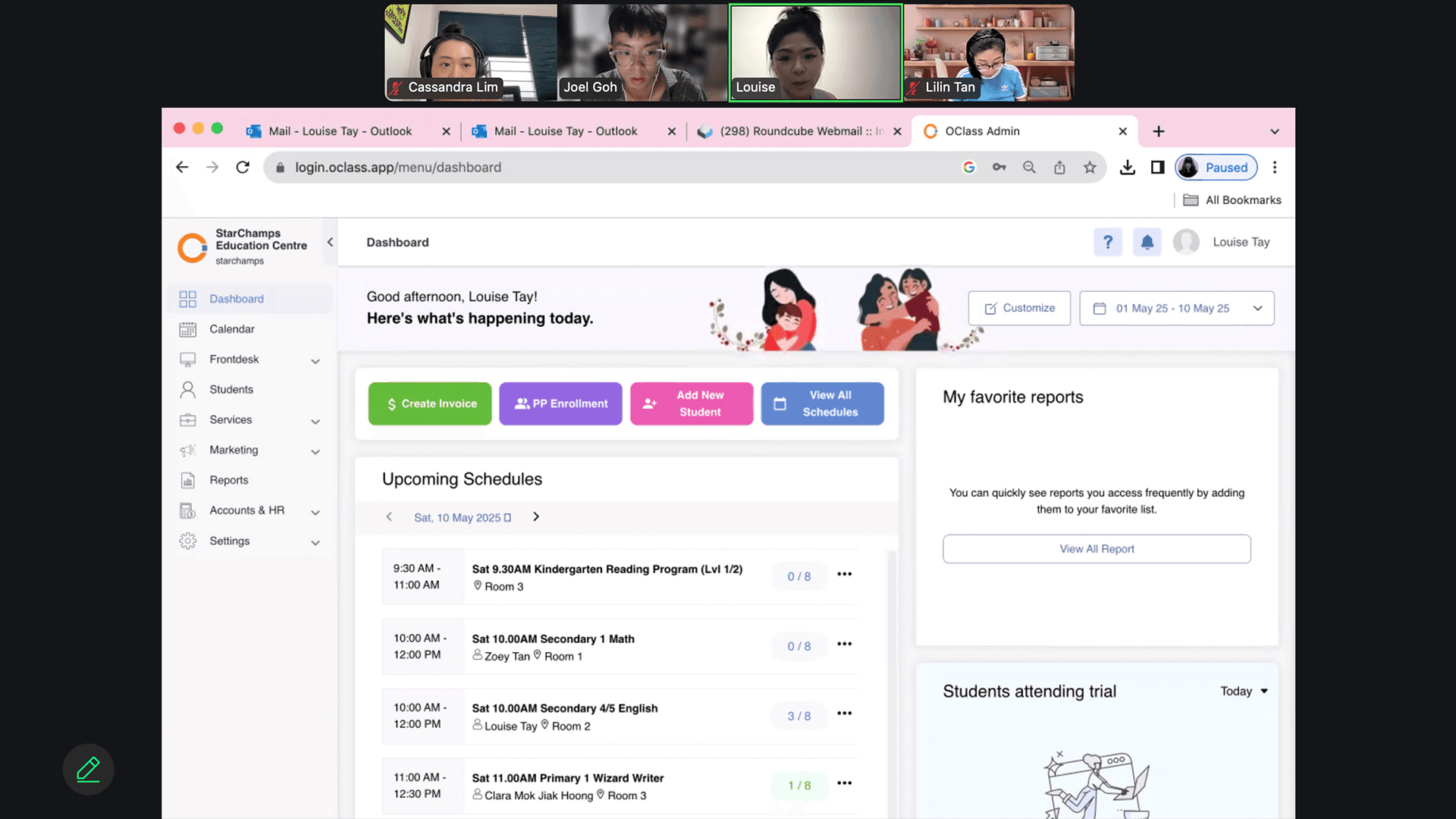
I ran user and stakeholder interviews to separate what people asked for from what they actually needed. Interviews were often full of resistance and conflicting requests, so staying anchored to the core task, setting up a term was what surfaced the genuine pain points.


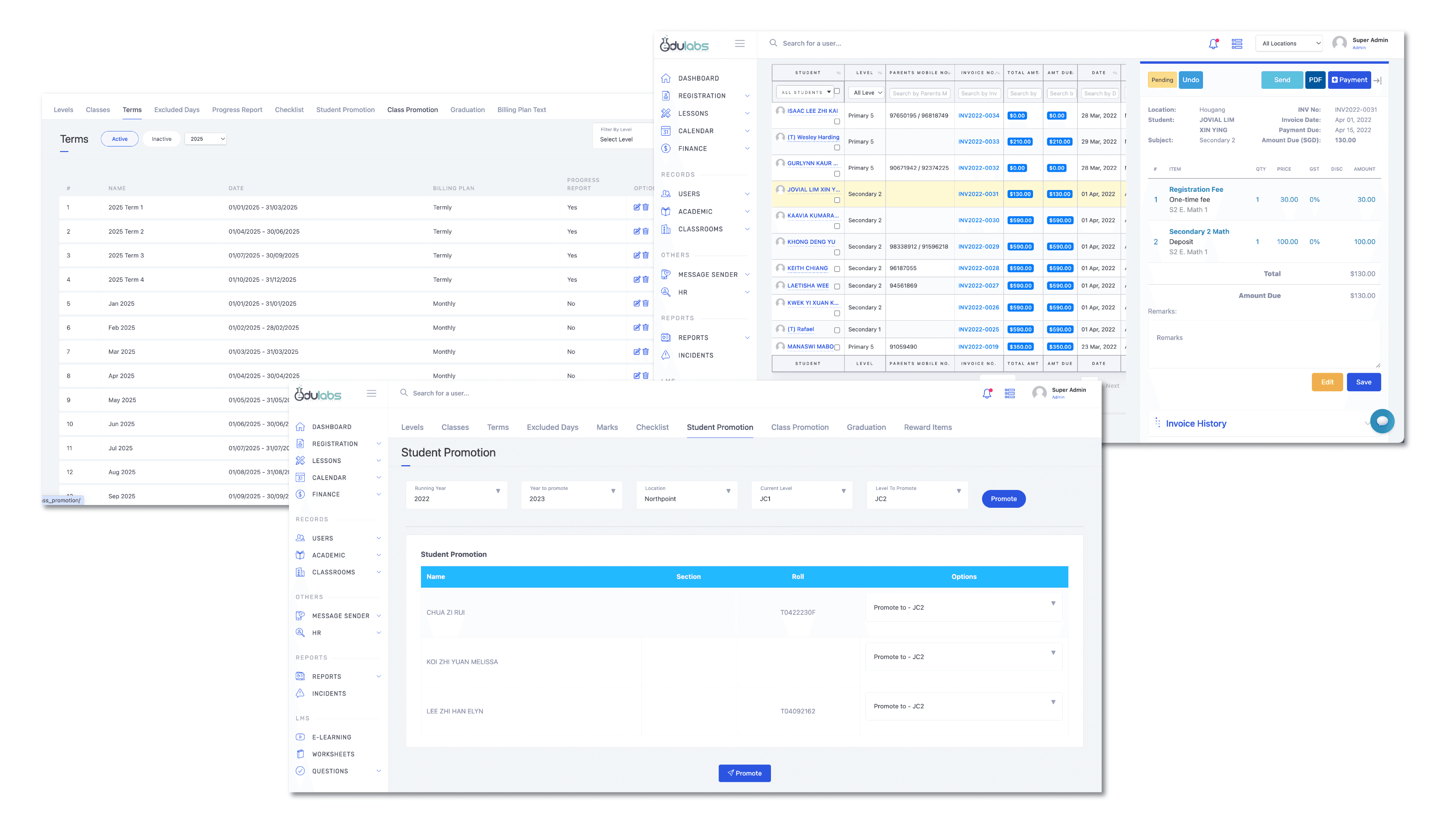
A competitor teardown of Edulabs sharpened the direction. Its strength was guided, customisable workflows for high-frequency tasks: bulk actions, strong filtering, and flexible invoice editing. The takeaway for OClass was clear, adopt these patterns, then push them further for our own users.


This all had to work within real constraints: a universal approach across very different business types, without adding cognitive overload, scalable for future features, and feasible within OClass's existing UI and roadmap.
CHALLENGE

How might we enable scalable term management that lets admins perform high-frequency tasks efficiently, regardless of class configuration or pricing model?

How might we enable scalable term management that lets admins perform high-frequency tasks efficiently, regardless of class configuration or pricing model?

VISION & PRINCIPLES

What a good term-setup flow should feel like

What a good term-setup flow
should feel like

Before designing any screens, I set the principles the solution had to meet, a way to keep decisions consistent across studios, centres, and gyms.
One flow, not many screens
Class copying into a single process, reducing steps to complete the workflow.

One flow, not many screens
Class copying into a single process, reducing steps to complete the workflow.

One flow, not many screens
Class copying into a single process, reducing steps to complete the workflow.

Automate the tedious, keep control where it matters

Remove manual repetition, but let admins adjust anything that varies by business.

Automate the tedious, keep control where it matters

Remove manual repetition, but let admins adjust anything that varies by business.

Scale without bloat

Work across business types without overcomplicating the interface.

Scale without bloat
Work across business types without overcomplicating the interface.

Build in safety nets

Protect work in progress so no one loses data mid-task.

Build in safety nets
Protect work in progress so no one loses data mid-task.

Edulabs Competitor Analysis

THE SOLUTION

Streamlined term management in OClass

Streamlined term management
in OClass

1

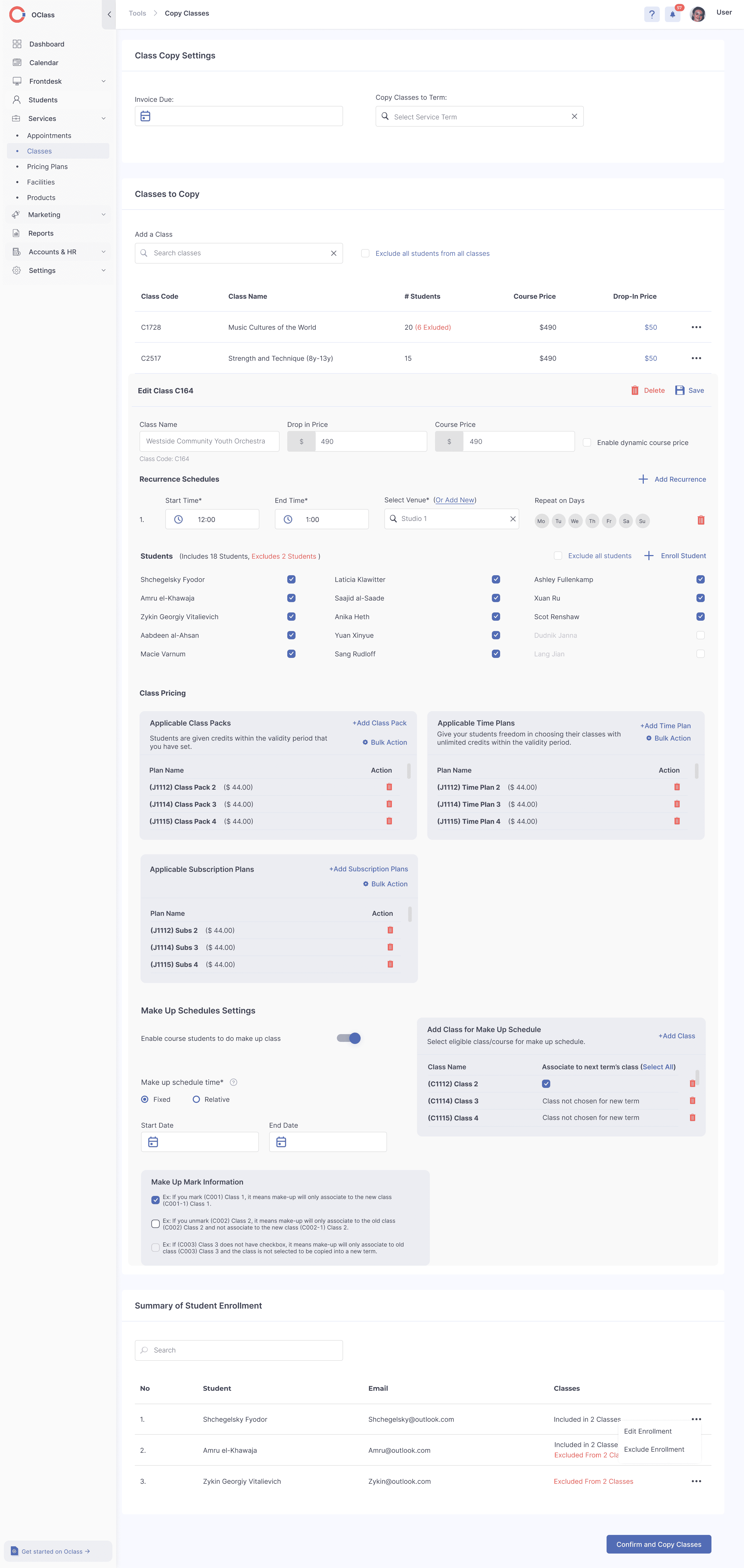
One guided flow for class copy

Class copying is now a single process with fewer steps. Student enrolment and invoicing are folded into that same flow to cut effort and errors, while class-edit details are split into tabs so the main screen stays clear. A final review summary acts as a checkpoint — catch errors, confirm, and complete with confidence.
OCLASS COPY CLASS EDIT PAGE (OLD)

OCLASS COPY CLASS FLOW (NEW)

2

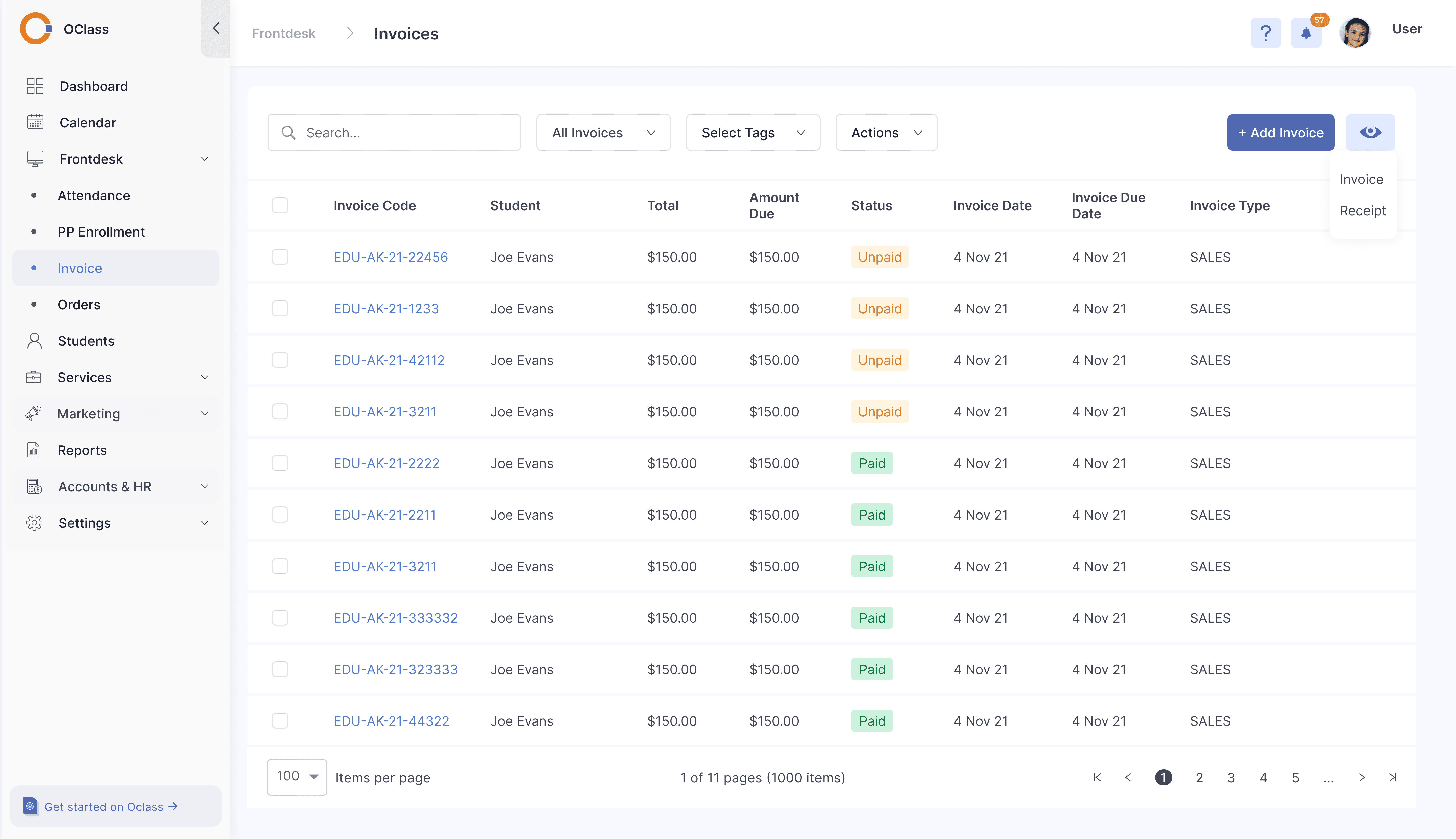
Flexible invoice editing

This ensures accurate billing aligned with student pricing plans and schedule. It helps accommodate diverse invoicing workflows across different businesses, reducing errors and saves time.
OCLASS INVOICES (OLD)

OCLASS STUDENT ENROLMENT & INVOICING (NEW)

3

Maintaining Data Integrity & Autosave

Auto-save function

Supported by alerts to warn users when exiting the page during editing to prevent data loss

Supported by alerts to warn users when exiting the page during editing to prevent data loss

Save to drafts

Feature gives users control and flexibility, allowing them to pause, review, and resume work without losing progress.

Feature gives users control and flexibility, allowing them to pause, review, and resume work without losing progress.

OCLASS AUTO-SAVE & SAVE TO DRAFT FUNCTION (NEW)

RETROSPECTIVE

No effort for users, a lot of it for us

Building a SaaS tool is a constant balance between what users ask for, what they actually need, and where the business is heading, usually with conflicting feedback in the mix. The hard part wasn't drawing screens; it was navigating ambiguity and tying every design decision back to a strategic outcome.


Working closely with admin users and the support team each week, we uncovered plenty of high-value improvements that could ship with low-to-medium effort. The lasting lesson: real impact comes from looking past individual features to the whole journe, and from communicating change well enough that users actually adopt it.


Looking ahead: the priorities are clear communication and education to drive adoption, and tracking engagement, feature uptake, and support volume to keep prioritising what creates real business value.